
radu
- May 09, 2026
- |
- Headless Architecture
The Architecture Bottleneck: Why Traditional WordPress Is Stalling Your Growth
Every scaling digital business eventually hits the WordPress wall. It starts innocently: you build a custom site, install a few plugins for SEO, a couple more for marketing automation, and an optimization layer to help manage caching.
But over time, the monolithic architecture of traditional WordPress catches up to you. Every page request forces your server to compile heavy PHP scripts, execute multiple database queries, and process bloated plugin logic before delivering a single byte of HTML to your user’s browser.
In an era where a 100-millisecond delay can directly slash conversion rates, relying on a system designed in the early 2000s to serve high-performance frontend experiences is a liability. Your marketing team loves WordPress for its familiar dashboard and content editing tools, but your technical requirements demand modern speed, impenetrable security, and total design freedom.
You don’t have to choose between them. By shifting to a decoupled, headless architecture, you keep the WordPress backend your team knows while replacing the slow frontend with a modern, static web application.
Understanding the Headless Paradigm: Decoupling the Stack
To understand why a headless configuration outperforms a standard setup, we have to look at how data moves through both environments.
Traditional (Monolithic) WordPress:
[ Database ] <---> [ WordPress Core + Plugins + PHP Theme ] ===> ( Heavy HTML Rendered on Request )

Headless (Decoupled) WordPress:
[ Database ] <---> [ WordPress Core (API Only) ] ---> REST / GraphQL API ---> [ Next.js Static Frontend ]
In a traditional setup, the backend and the frontend are welded together. The theme layer is entirely dependent on WordPress’s rendering engine. When a visitor lands on your site, the server builds the page from scratch on demand, pulling pieces from the database while running every plugin script simultaneously.
In a headless architecture, we sever this link. The WordPress installation is stripped of its visual frontend theme. It serves strictly as a headless Content Management System (CMS), functioning as an administrative data engine. Your content is stored there, but instead of compiling pages on the server, it exposes your data through secure, lightweight REST APIs or GraphQL endpoints.
A completely independent frontend application—typically built using modern frameworks like Next.js, Nuxt, or React—queries that data and pre-renders your entire website into static, raw files. These files are then deployed directly to a global Content Delivery Network (CDN) like Vercel, Netlify, or Cloudflare.
Performance Engineering: The Core Web Vitals Advantage
When you take WordPress headless, your page speeds drastically improve because you shift from server-side rendering to Static Site Generation (SSG) or Incremental Static Regeneration (ISR).
When a user visits a headless site, the server doesn’t need to communicate with a database or parse thousands of lines of legacy PHP. The CDN immediately delivers optimized, pre-rendered HTML and minimal JavaScript.
| Performance Metric | Traditional WordPress Monolith | Decoupled Headless Framework |
| Time to First Byte (TTFB) | 500ms – 1.2s (Server-dependent) | < 50ms (Global edge caching) |
| First Contentful Paint (FCP) | 1.8s – 3.5s (Theme & asset bloat) | < 0.6s (Code-split components) |
| Core Web Vitals Pass Rate | Highly volatile, plugin-dependent | Consistently green across all devices |
By delivering static files from edge servers located closest to your visitors, you virtually eliminate network latency. Google’s algorithms heavily favor sites that pass the Core Web Vitals framework. Transitioning to headless is one of the most effective ways to satisfy these performance requirements.
Eliminating the Attack Surface: Impenetrable Security
WordPress powers over 40% of the web, making it the primary target for automated malware scanners, SQL injections, and brute-force attacks. The vast majority of these exploits target poorly coded third-party plugins or known vulnerabilities within the theme rendering architecture.
Traditional Site:   [ Public Internet ] ===> Hits Public WP Login & Theme Code Directly
Headless Site:      [ Public Internet ] ===> Hits Static CDN Assets Only (WP Backend is Isolated)
A headless configuration changes the security dynamics of your site by creating an automated air-gap between the public internet and your database:
-
Isolation: Your actual WordPress login URL (
/wp-admin) can be restricted to an internal private network or hidden behind strict IP whitelisting. The public never interacts with it. -
Zero PHP Execution: Because the public-facing frontend consists purely of compiled static files, there is no active database connection or server-side PHP processing available on the client side. Hackers cannot execute malicious scripts or injection attacks against your live site.
-
Database Protection: Even if a malicious actor attempts a Denial of Service (DoS) attack, they are hitting highly resilient CDN nodes rather than exhausting your primary database server’s resources.
Absolute Design and Omnichannel Freedom
In a standard setup, your design team is constrained by what the WordPress theme engine can support. Custom layouts often require clunky page builders like Elementor or Divi, which introduce massive amounts of structural code bloat, ruin your clean semantic layout, and degrade mobile responsiveness.
When you go headless, your frontend developers have an open canvas. They can use Tailwind CSS, styled-components, and native React modules to build fluid, motion-rich user experiences without compromising speed.
Furthermore, because your data is transmitted as clean JSON text via an API, it isn’t limited to a web browser. The same WordPress backend that populates your website can simultaneously push data to:
-
A native iOS mobile application
-
An Android tablet app
-
Digital kiosk displays
-
Internal SaaS client portals
Your content team creates the data once, and your applications display it anywhere seamlessly.
Technical Implementation: A High-Level Migration Roadmap
Moving from a traditional monolithic setup to a clean headless infrastructure requires a systematic migration plan to ensure zero data loss or dropped search engine positioning:
Step 1: Backend Cleanup & API Preparation
We audit your active plugins, stripping out any tools that handle frontend layout tasks. We then install optimized API endpoints using the native WordPress REST API or WPGraphQL to ensure your content structures map cleanly to JSON.
Step 2: Framework Selection & Frontend Scaffolding
Depending on your scale and content updates, we build a custom frontend application using Next.js or React. We set up dynamic routing paths so that your custom post types match your exact URL architecture.
Step 3: Global Deployment & Edge Configuration
Your frontend is deployed to an enterprise-grade cloud network. We configure automatic webhooks so that whenever a writer clicks “Publish” inside the WordPress dashboard, the system tells the frontend to rebuild only that specific modified page within seconds.
Frequently Asked Questions
Will my team still be able to use the standard WordPress Editor?
Yes. Your content creators, writers, and marketers will notice absolutely zero change in their daily routines. They will use the exact same block editor, Gutenberg interfaces, and draft features they use today. The separation happens completely downstream from their input.
What happens to my Yoast or RankMath SEO plugins?
We pull your SEO data directly out of those plugins through the API. Your meta titles, descriptions, open-graph tags, and canonical maps are safely read by the frontend application and injected directly into the clean source code of the static pages, keeping your SEO completely intact.
Is a headless migration a permanent change?
Headless architecture cleanly separates data from design. If you ever decide to replace your WordPress backend with a different system down the road, your custom frontend remains entirely intact. You simply point your APIs to the new database without needing to touch your visual website design.
The Performance Choice
Continuing to patch a bloated WordPress monolith with more caching layers and speed optimization plugins only delays the inevitable. If you want enterprise-grade page load times, total freedom from security vulnerabilities, and an uncompromised user interface, decoupling your application is the definitive path forward.
Let’s look at your current core stack, pinpoint your system bottlenecks, and build a tailored migration roadmap for your business.
Headless Architecture Illustration
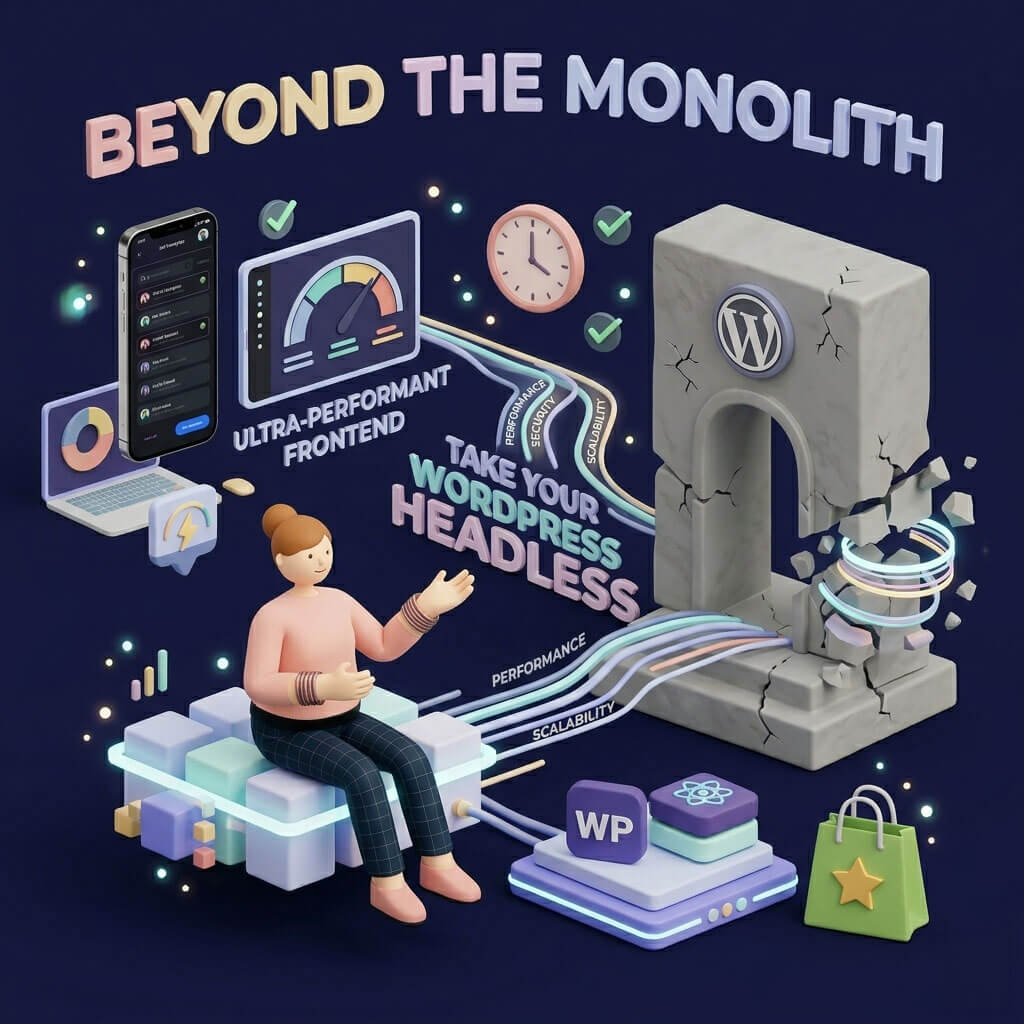
Here is a unique, high-fidelity 3D illustration created specifically for this blog post. It visually captures the technical theme of the article—breaking a slow, monolithic stone WordPress gate into a dynamic data stream that flows cleanly into a modern, ultra-performant application environment.